Cybersecurity - phishing & scams awareness

Don't take
the bait.

Three short modules on how phishing actually works today, from classic email scams to compromised-vendor attacks to SMS and QR-code tricks. Each part ends with a hands-on challenge.

10-minute read

Don't take
the bait.

You don't need to be an IT expert to catch a phishing email. You need ten seconds and a simple checklist. This guide shows you exactly where to look, with examples marked up.

62%of data breaches involve a human element, like clicking or being tricked (Verizon DBIR 2026)
16%of breaches begin with a phishing attempt (Verizon DBIR 2026)
0blame here: the goal is habits, not guilt
First, breathe. This isn't a test you failed. Modern phishing is designed by professionals, often with AI tools, to beat busy, capable people. The staff who never get caught aren't smarter; they've just built one habit: pause and check before you click or reply. That habit is what this guide tries to instill.
The framework
🇸🇬 Used across Singapore · promoted by GovTech ↗

Run every suspicious email through SUNDAE

SUNDAE is the checklist used in Singapore's public cyber-awareness campaigns, so it's the one your staff will keep seeing. Six red flags: if even one shows up, stop and verify through a channel you trust.

S

Spelling errors and bad grammar

Typos, odd phrasing, or awkward wording a real organisation wouldn't send.

⚠ Caveat: AI now writes clean, error-free phishing. Perfect grammar no longer means safe. Treat this as a weakening signal, not proof.
U

Urgent or threatening message

Deadlines, threats, or "your account will be terminated." Pressure designed to make you act before you think.

N

Name of sender doesn't match the email address

The display name says one thing; the actual address behind it says another.

D

Domain or email address isn't legitimate

The domain is misspelled, padded with extra words, or a look-alike, like rnicrosoft.com imitating microsoft.com.

A

Attachment looks malicious

An unexpected file, especially .html, .zip, or anything asking you to "enable content."

E

Email links with misleading addresses

The link text and its real destination don't match. On a computer, hover over the link to see where it truly goes.

Prefer fewer letters? Try SLAM

SLAM is a widely-used international shortcut: the same checks as SUNDAE, compressed into four. It isn't an official standard, but it's easier to hold in your head. Use whichever one sticks.

S
Sender
= SUNDAE's N + D
L
Links
= SUNDAE's E
A
Attachments
= SUNDAE's A
M
Message
= SUNDAE's S + U
Worked example #1 · credential theft

Anatomy of a phishing email

Here's a classic "your password is expiring" scam. The red marks show every tell. Then the black panel decodes each one.

Phishing
FromMMicrosooft 365 Team <security@ms-office-verify.ru>1
Toundisclosed-recipients  undisclosed-recipients2
SubjectACTION REQUIRED: Your password expires in 24 hours3

Dear Valued User,4

Our system has detected that your password will expire today. To avoid permanent loss of access to your account5, you must verify your credentials immediately.

Verify My Account Now

Link: http://office365-secure-login.account-verify.net/login6

If you do not act, your account will be terminated and all data deleted.7

Regards,
IT Helpdesk Support Team

Evidence: 7 red flags
1Wrong sender domain. "Microsooft" is misspelled and the real domain is ms-office-verify.ru, not microsoft.com. The display name is easy to fake; the domain is what matters.
2You're not the real recipient. "Undisclosed recipients" means it was blasted to a list. Legitimate account emails address you directly.
3Manufactured urgency. "24 hours" and ALL CAPS exist to make you act before you think.
4Generic greeting. "Dear Valued User." A real provider knows and uses your name.
5Fear of loss. Threatening to lock you out pressures you past your judgement.
6Lookalike link. The real destination is account-verify.net, not microsoft.com. Everything before that final domain is decoration.
7Threat + consequence. "Data deleted" is a scare tactic. IT never threatens you into clicking a link.
The one rule that beats most phishing: never enter your password on a page you reached by clicking an email link. If you think it might be real, go to the site yourself the way you normally would, or ask IT.
Worked example #2 · fake invoice

The "overdue payment" trap

These target anyone who handles money or accounts. The attachment is the weapon.

Phishing
FromAAccounts <billing@invoices-secure-portal.com>1
SubjectRe: Re: Outstanding Invoice #INV-4471: FINAL NOTICE2
AttachInvoice_4471.html 3

Hello,

Please find attached your overdue invoice. Payment is 60 days late4 and must be settled today to avoid legal action. Open the attached document and confirm your banking details to process.

Kind regards,
Accounts Receivable

Evidence: 4 red flags
1Unknown vendor domain. You have no relationship with "invoices-secure-portal.com". Cross-check against suppliers you actually use.
2Fake reply chain. "Re: Re:" fakes an ongoing conversation you were never part of.
3Dangerous attachment type. An .html "invoice" is almost always a credential-harvesting page in disguise. Real invoices are PDFs, and even those, open with care.
4Pressure + payment request. Legal threats plus "confirm your banking details" is the whole scam in one line.
Worked example #3 · the boss scam (BEC)

"Quick favour" from the CEO

The sneakiest kind: no links, no attachments, no bad grammar, just a plausible request from someone senior. This is what catches careful people.

Phishing
FromDDavid Tan (CEO) <david.tan.ceo@gmail.com>1
SubjectAre you at your desk?2

Hi,

I'm in back-to-back meetings and can't take calls. I need you to handle something quickly and discreetly.3

Can you purchase 5 × $200 gift cards4 for a client gift? Send me the codes by photo. I'll reimburse you this afternoon. Keep this between us for now.5

Thanks,
David

Sent from my iPhone

Evidence: 5 red flags
1Personal address, not company. Your CEO emails from the company domain, not a random Gmail. Display name says "CEO"; the address betrays it.
2Vague opener. "Are you at your desk?" fishes for a reply and builds a false rapport before the ask.
3Secrecy + speed. "Quickly and discreetly" is engineered to stop you checking with anyone.
4Gift cards = giant red flag. No legitimate business runs on staff buying gift cards. This is the #1 sign of a boss scam.
5"Keep this between us." The whole scam depends on you not verifying. So verify. Call the person on a known number.
Hard mode · the near-perfect fakes

When the only tell is one character

The best phishing gets the brand, tone, and grammar exactly right. There's no obvious mistake to catch. The giveaway is hidden in the sender's address, and you only see it by reading it slowly, one character at a time. This is the kind that beats a simulated test.

rnicrosoft.com
Look closely: that's not an m. It's an r next to an n. At a glance, rn reads as m, so rnicrosoft.com passes for microsoft.com. Nothing else in the email has to be wrong for it to work.
Phishing: advanced
FromMMicrosoft account team <account-security-noreply@rnicrosoft.com>1
SubjectNew sign-in to your Microsoft account

We noticed a new sign-in to your Microsoft account from a new device. If this was you, you can safely ignore this email.

If you don't recognise this activity, please review it to keep your account secure.

Review recent activity

Thanks,
The Microsoft account team

Why this one is dangerous
1The domain is the only red flag. Brand spelled right, calm and professional tone, a believable "new sign-in" pretext, no urgency, no grammar slips. Everything is built to pass, except rnicrosoft.com, which isn't Microsoft at all.
The habit that catches it: whenever an email asks you to sign in or act, read the full address after the @ one character at a time. Genuine Microsoft security mail comes from @accountprotection.microsoft.com. When unsure, open the service yourself, never the email's button.

See where a link truly leads: hover, don't click

On a computer, resting your mouse over a link, without clicking, reveals its real destination in a small tooltip and in the bar at the bottom of the window. If that address doesn't match the text, it's a fake. Here's the reveal in action:

mail.yourcompany.com/inbox

Your Microsoft 365 sign-in needs to be re-verified. Please confirm your account here:

https://login.microsoftonline.com/verify http://rnicrosoft-verify.com/login

Sign in with your work email to continue.

Goes tohttp://rnicrosoft-verify.com/login
1.What it showsThe blue link text reads like a genuine Microsoft sign-in address.
2.What hover revealsThe tooltip and the status bar show the real destination: a different, fake domain.
3.The catchDisplayed text and true address don't match. That mismatch alone means phishing.

What a homoglyph is

The trick above has a name: a homoglyph attack. Homoglyphs are characters that look the same but are different to a computer, so an address can look right to your eye while pointing somewhere else entirely.

Two kinds show up most:

1. Latin look-alikes. Ordinary letters and numbers arranged to fool a glance, like rn reading as m, a capital I as a lowercase l, or a zero as an o. No special characters involved, just a quick eye.

2. Non-Latin look-alikes. Letters from other alphabets that are drawn identically. A Cyrillic а, е or о is pixel-for-pixel the same as the Latin one, so аmazon.com (Cyrillic first letter) is impossible to tell from the real thing by sight.

This is why homoglyphs are the hardest phishing to catch: there is often nothing visible to spot. Worse, a careful attacker can register the look-alike domain and set up its email authentication properly, so it can even pass SPF, DKIM and DMARC. Those checks only prove the mail really came from the domain shown; they cannot tell you that domain is a fake.

So how do you catch what you cannot see? Let the computer show you the real characters. Browsers convert non-Latin domains into an ASCII form called punycode, which always starts with xn--. Hover over any link (on a computer) and check where it truly goes:

What you seeamazon.com
On hover, it'sxn--mazon-3ve.coma completely different site

The rule: if a hover preview reveals an address beginning with xn-- that you were not expecting, treat it as hostile. And whenever a login or payment is involved, do not trust the address at all, open the site yourself by typing it or using a saved bookmark.

The lookalike alphabet

These character swaps are designed to slip past a quick glance. Any address containing one deserves a slow second look.

rnm
rnicrosoft = microsoft
vvw
vvhatsapp = whatsapp
0o
micr0soft = microsoft
1l
paypa1 = paypal
Il
googIe = google
а е оa e o
Cyrillic look-alikes
аmazonamazon
Cyrillic a, real xn--
Read the address carefully

Real vs. fake: spot the difference

Attackers register domains that look right at a glance. Read every character. The trick is almost always in the domain, the part right before the first single slash.

Looks legit, but isn't
The genuine one
Fakernicrosoft.com
Realmicrosoft.com
Fakepaypa1.com
Realpaypal.com
Fakemicros0ft.com
Realmicrosoft.com
Fakelogin.your-bank.secure-verify.net
Realyourbank.com
Fakeamazo0n-support.com
Realamazon.com
Fakehr-team@company-portal.com
Realhr@company.com
How to read a link fast: find the very first single "/" in the address. The word just to its left is the real destination. In office365.account-verify.net/login, that word is account-verify.net, not Microsoft.
Beyond the inbox

Phishing by calendar invite

Phishing doesn't only arrive as an email. Attackers also send meeting invites, because on many calendars an invite adds itself to your schedule before you accept, then reminds you to click at meeting time. The malicious link hides in the location or the notes.

📅 Meeting invitation
Payroll review: action required before 5pm
Organiser
HR Payroll <payroll@hr-portal-verify.com>1
When
Today, 4:30pm to 5:00pm4
Where
https://payroll-verify-portal.com/login3
You have been added to a mandatory payroll verification. Confirm your bank details before 5pm to avoid a delay to this month's salary.2

Confirm details now
✓ Accept? Tentative✕ Decline
Evidence: 4 red flags
1Unknown, external organiser. You didn't arrange this and the domain isn't your company. An invite you didn't expect is the first warning.
2It asks for money or credentials. A real meeting never needs you to confirm bank details. The invite is just a wrapper for the ask.
3The payload is a link. The location and notes point to a look-alike portal. Meetings don't send you to a login page.
4A deadline to rush you. "Before 5pm" is there to stop you checking with anyone first.
Watch the Teams link too. Many invites are Microsoft Teams meetings with a "Join the meeting now" button. Real Teams links live on teams.microsoft.com. Look-alikes use domains like teams-microsoft-live.com. Hover the join link before you click, and if a meeting starts "in 10 minutes" from someone you did not expect, treat it as a scam.
Two things make invites sneaky: they can appear on your calendar automatically, so being in your schedule is not a sign anyone vetted them; and declining can tell the sender your address is live. If an invite looks wrong, don't click anything in it. Delete it, report it, and if you can, turn off your calendar's "automatically add invitations" setting so nothing lands there uninvited.
Why people click

The four emotional hooks

Phishing rarely beats your knowledge. It beats your feelings. Naming the hook helps you resist it.

⏱️

Urgency

A ticking clock stops you thinking. Deadlines, "expires today," "final notice."

"Act within 24 hours or lose access."
👔

Authority

A request that seems to come from a boss, IT, HR, or the bank feels safe to obey.

"This is the CEO. I need this done now."
😨

Fear

Threats of loss, fines, or account closure push you to comply before verifying.

"Your account will be permanently deleted."
🎁

Curiosity / reward

A refund, prize, parcel, or juicy attachment you just have to open.

"Your $500 refund is ready. Confirm details."
When something feels off

Do this, in order

You don't have to be certain it's phishing. "Not sure" is exactly when to use these steps.

Stop. Don't click, reply, or open anything.

Not the link, not the attachment, not "unsubscribe." Your instinct that something's off is usually right.

Verify through a channel you trust.

Call the person or company on a number you already have, never the one in the email. Type the website in yourself instead of clicking.

Report it.

Use the "Report Phishing" button in your mail app, or forward it to your IT / security team. Reporting protects everyone else too.

Delete it, and if you clicked, tell IT immediately.

Clicked or entered a password? Speak up fast and change that password. Early reporting turns a big problem into a small one. You will not be in trouble for reporting.

The 10-second checklist
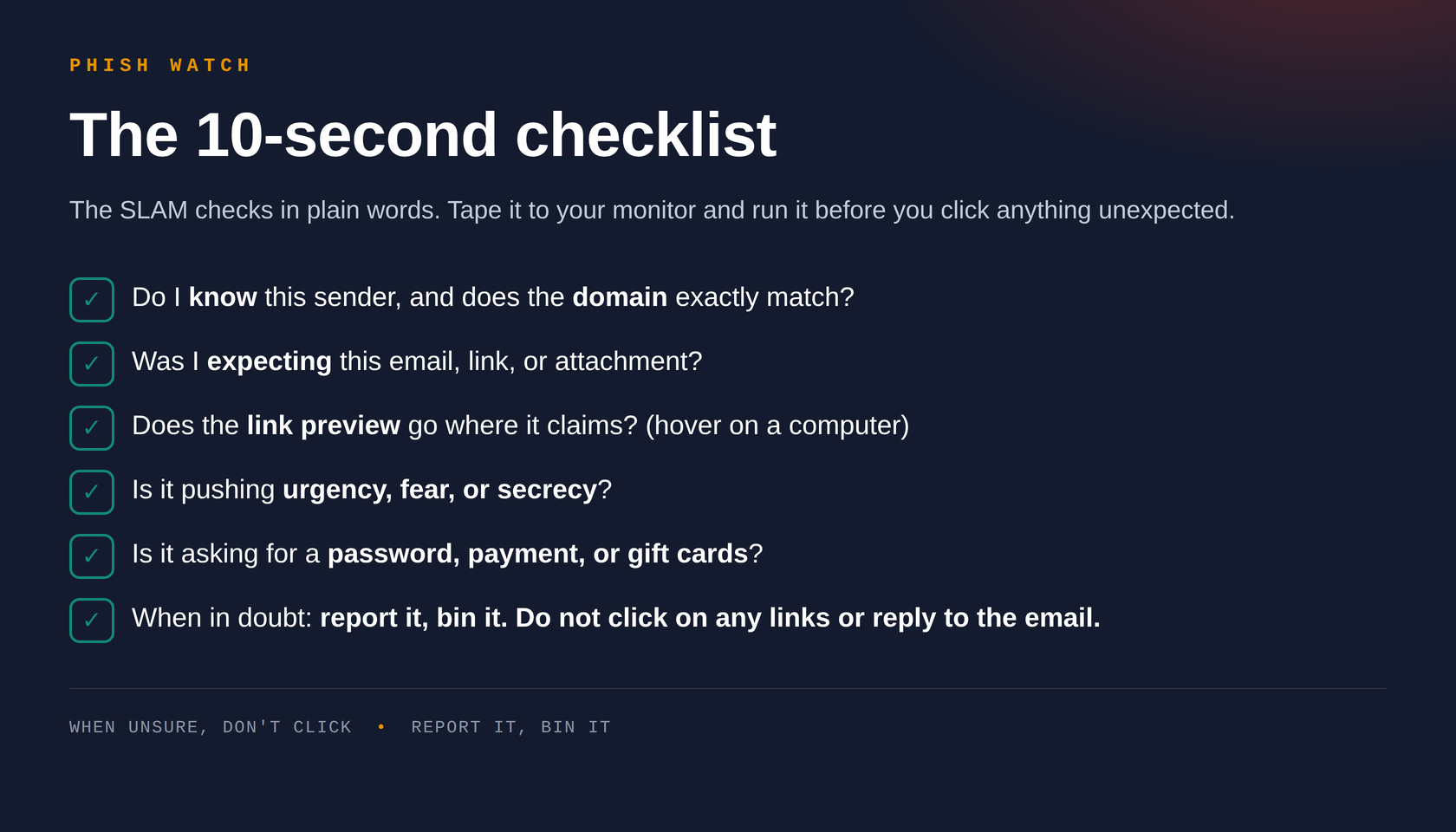
The SUNDAE checks in plain words. Tape it to your monitor and run it before you click anything unexpected.
Do I know this sender, and does the domain exactly match?
Was I expecting this email, link, or attachment?
Does the link preview go where it claims? (hover on a computer)
Is it pushing urgency, fear, or secrecy?
Is it asking for a password, payment, or gift cards?
When in doubt: report it, bin it. Do not click on any links or reply to the email.
⬇ Download and print this cheat card
🎣 Catch the Phish

Test yourself when ready

Ten emails, ten seconds each. See how many phishing attempts you can spot, then get a full breakdown of what to watch for next time.

Play the challenge →
Part 2 of 3 · 6-minute read

The trusted sender trap.

Part 1 taught you to check the sender, the domain, the link. This one covers what happens when all three are genuine, because the account really does belong to your vendor, contractor, or colleague. It has just been taken over.

66business email compromise cases reported in Singapore since 1 Jan 2026, at least $19M lost (SPF Advisory, 20 May 2026)
48%of breaches now involve a third party, up from 30% the year before (Verizon 2026 DBIR, p.11, 20)
23%of third-party organisations had fully fixed missing MFA on their cloud accounts (Verizon 2026 DBIR, p.22)
Same reflex, harder test. The pause-and-check habit from Part 1 still applies. It's just that this attack is built specifically so that Sender and Domain, two of SUNDAE's six checks, come back clean every time. The tell has to come from somewhere else.
The framework
🇸🇬 Singapore Police Force advisory · Vendor payment account scams ↗

When the sender checks out, run RADAR

RADAR is behaviour based, so it still works when the account is completely genuine. It's a memory aid built for this training, not an official standard, same as SLAM in Part 1.

R

Request changed

A different bank account, a new payee, an "updated" invoice for an existing order. Genuine payment details rarely change over email.

A

Asks urgency + secrecy

"Confirm today" and "keep this between us" almost never belong in the same real email. That pairing exists to stop you checking.

D

Different channel

A push to move to WhatsApp, a personal email, or a "quicker" side chat, away from the usual thread or system of record.

A

Attachment unexpected

A password-protected zip, an unusual file type for that contact, or a "document portal" link neither of you has used before.

R

Rhythm feels off

A different greeting, sign-off, or level of formality compared to how this person usually writes to you.

Why this works

The compromise chain, step by step

This is not a single email. It is usually a short campaign that starts well before you ever see a message.

Four steps to your inbox
1A supplier gets breached first, not you. A smaller vendor, contractor, or partner in your supply chain, often through a reused password, a phished credential, or an account with no MFA.
2The attacker reads before they write. They sit in the compromised mailbox for a while, learning invoice formats, writing tone, who approves payments, and which threads are still open.
3They reply inside a real thread. From the actual address, often with the actual signature block. SPF, DKIM and DMARC all pass, because nothing was spoofed.
4The ask lands where it hurts. A bank account change, an "updated" invoice, or an attachment framed as a contract, quote, or delivery note, timed for when a quick reply feels normal.
Why the wait matters. A compromised vendor account rarely gets fixed fast. Verizon's 2026 DBIR puts the median time to resolve weak passwords and excess permissions in a third party's cloud environment at around 8 months (p.11–12), which is exactly the window an attacker needs to study a mailbox and time the ask.
Where SUNDAE stops helping

Passes SUNDAE, still worth a RADAR check

What SUNDAE sees
What RADAR checks next
PassSender address is real
CheckHas the request itself changed, especially payment details?
PassDomain matches exactly
CheckIs there urgency paired with a request for secrecy?
PassAuthentication (SPF/DKIM/DMARC) green
CheckIs it pushing you to a different channel than usual?
Worked example · Compromised vendor

Two real-thread scenarios

Both emails below pass SUNDAE completely. The tell is entirely in the request.

B
Re: Invoice INV-2214, updated payment details
From: accounts@brightline-supplies.com · same thread as last month's invoice
SPF/DKIM/DMARC pass

Hi, apologies for the short notice. Our bank has flagged some issues with our usual account so we have moved to a new one temporarily. Could you please update the details below and process payment today, our finance lead is travelling and this needs to close before end of day.

Please do not loop in the wider team for now, we are keeping this change quiet until it is confirmed on our end.

RADAR flags present
RNew bank account requested for an existing, already-invoiced order.
AUrgency and secrecy together: "today" plus "do not loop in the wider team."

Fictional example for training purposes only. Any resemblance to a real supplier is coincidental.

M
final signed copy pls check!!
From: marcus.lim@yourcompany.com · Procurement, real colleague
SPF/DKIM/DMARC pass

eh can u take a look at this asap, client chasing. file was too big so used this new sharing link, should open straight away. need ur ok by end of day latest thanks so much

RADAR flags present
DA brand new file-sharing link neither of you has used before, instead of the usual shared drive.
RThis colleague normally writes full sentences with a proper sign-off, not this clipped and rushed.

Fictional example for training purposes only. Any resemblance to a real colleague is coincidental.

When a request feels off

Do this, in order

Same principle as Part 1: you don't need to be certain. "Not sure" is exactly when to use these steps.

Stop. Don't act on the request yet.

Not the payment, not the reply, not the attachment. A genuine urgent request can wait for a two-minute check.

Verify on a separate, known channel.

Call a phone number you already had on file, not one in the email. Ask the actual person, don't reply to the same thread.

Don't open unfamiliar attachments or links.

Even from people you trust. If in doubt, ask them to resend through your usual shared system instead.

Report it.

If the account really is compromised, the real person needs to know too, and so does IT.

🎣 Try it yourself

Spot the trusted sender trap

Five real-thread scenarios where the sender checks out completely. Can you still catch the tell?

Take the challenge →
PHISH WATCH · Security awareness handout · When the sender checks out, check the request.
Part 2 of 3 · Part 1: Spot the Phish · Part 3: Don't Tap the Link
All names, companies, and email addresses in examples are fictional, for training purposes only.
Part 3 of 3 · 10-minute read

Don't tap
the link.

Email phishing needs you to read carefully. Text phishing needs you to tap fast, on a small screen, while you're walking, queueing, or half paying attention. This guide covers SMS, iMessage and WhatsApp scams built to steal your details, or worse, put malware on your phone.

6,264phishing scam cases in Singapore in 2025, $39.9M lost (SPF Annual Scam and Cybercrime Brief 2025, p.5, 16)
~40Mpotential scam SMS messages blocked by IMDA and telcos in 2025 alone (SPF Annual Scam and Cybercrime Brief 2025, p.38)
87,700+WhatsApp lines disrupted by SPF in 2025 alone, more than double 2024's figure (SPF Annual Scam and Cybercrime Brief 2025, p.28)
Same habit, faster clock. The pause-and-check reflex from Part 1 still works here. Text scams just compress the whole con into three lines and a link, because a phone screen gives an attacker less room to build a story, and less room for you to spot the seams.
The framework
🇸🇬 CSA's national campaign · "Stop and Check" ↗

Run every text through TEXT

CSA's own national campaign boils this down to two words: stop, then check. This guide breaks that pause into four things to actually look at on a phone screen. It's a memory aid built for this training, not an official standard, same as SLAM in Part 1.

T

True sender

Is it a registered name, like a bank, courier, or "gov.sg", or a random local or overseas number?

A number ≠ a company
E

Expected

Were you actually waiting on this delivery, bill, or account notice? Unprompted "problems" are the opening move.

X

eXamine the link

Don't touch it at all, not even to preview. Verify through the official app instead, never through anything in the message.

T

Told to act first

Reply "Y", install an app, or "confirm" before you can see details? Genuine services never gate information behind an action.

Why not long-press to preview? On a computer, hovering is safe because nothing happens until you click. On a phone, a long-press sits one accidental tap away from actually opening the link, and on some Android messaging apps a long-press opens it directly instead of previewing it. Treat every link in an unexpected text as untouchable. Verify a different way instead: open the courier, bank, or agency's own official app, or check the number or link in the ScamShield app, without touching anything in the message itself.
Worked example #1 · fake government debt

Anatomy of a scam text

A message dressed up as a government agency, sent to an iPhone. iOS already flagged it as spam, but the marked-up version below shows exactly why.

?tammyhines67823xy@outlook.com1iMessage · filtered as spam

[LTA Central Clearing]2

Database audits show an unpaid ERP transaction linked to your vehicle record. The automated deduction was interrupted due to a localized OBU synchronization drop during transit at the CTE gantry checkpoint.3

Please manage this clearance via official LTA digital platforms:

https://onemotoring-iox.top/sg4

Accounts with unsettled balances face an immediate administrative restriction, blocking digital road tax issuance and ownership transfer clearances after 12/08/2026.5

Evidence: 5 red flags
1Random personal email as the sender. Government SMS and iMessage texts come from a single verified ID, gov.sg, never a stranger's Outlook address.
2An agency that doesn't exist. "LTA Central Clearing" is invented. LTA's real digital service is OneMotoring, and LTA states plainly it will never send payment links via SMS or other messages.
3Manufactured technical jargon. "OBU synchronization drop" sounds precise enough to feel credible, and vague enough to mean nothing. Real notices don't need invented engineering terms.
4Lookalike domain. onemotoring-iox.top is not the real address. The genuine OneMotoring domain is onemotoring.lta.gov.sg, always ending in .gov.sg.
5A deadline plus account-restriction fear. "After 12/08/2026" and "immediate administrative restriction" exist to make you click before you check.
iOS already caught this one. That "filtered as spam" line is Apple's own protection working. It's a genuine free layer of defence, but it isn't perfect, and it doesn't cover every channel, so treat it as a bonus, not a guarantee.
The trick built for phones

Why texts say "reply Y to activate the link"

This one only works on messaging apps, which is exactly why it doesn't show up in email phishing. It turns one of your phone's built-in protections against you.

How it works, step by step
1iMessage disables links from unknown senders by default. A real Apple safeguard: if the sender isn't in your contacts, any link in their text is not tappable.
2The scam text ends with an instruction. "Reply Y, then close the SMS and reopen it to activate the link." It reads like a routine confirmation step.
3Any reply "unlocks" the sender. Once you respond, even with "Y", "N", or "STOP", iMessage treats them as known, and the link becomes tappable.
4It also confirms you're a real, active target. A reply tells the scammer this number is read by a real person, which is worth more scam texts, not fewer.
?+44 7757 7046341Overseas number

[Ninja Van] Parcel Notification – Further Delivery Action Required2

At 07:15 am, our courier Theo Harwood (ID: 517968) attended your delivery address for parcel NVSG7849201536. The address provided did not contain the required unit number (#).

Please click here to add your unit details so we can send it out again:

https://ninjavan.pxqvma.club/com3

(Simply reply with "Y", then close the SMS and reopen it to activate the link. If the link still does not work, please copy it and paste it directly into Safari.)4

The parcel is now being held pending updated delivery instructions... will be held until 31 July.5

?+63 968 636 65761Overseas number

The sender is not in your contact list

Ninjavan Courier: I'm sorry to tell you that the label on your order is damaged... Please check and confirm your address online within 24 hours.2

https://ninjavan.xotnbx.help/my3

(Reply with "Y" and reopen the text message to activate the link, or copy the link directly into your browser)4

Evidence: 5 red flags across both texts
1Overseas mobile numbers. A UK number and a Philippines number, both claiming to be a Singapore courier. Ninja Van's real texts don't come from personal overseas mobiles.
2The "reply Y" instruction itself. This exact phrasing is the tell. No genuine courier needs a reply to "activate" a tracking link.
3Lookalike domains. ninjavan.pxqvma.club and ninjavan.xotnbx.help both borrow the brand name but sit on domains Ninja Van doesn't own. The real one is ninjavan.co.
4A minor, plausible problem. "Missing unit number" and "damaged label" are small, believable snags, exactly the kind of thing that doesn't trigger suspicion.
5A short deadline. "31 July" or "within 24 hours" pushes you to fix it now, on the spot, without checking the courier's app directly.
The rule that beats this trick: never reply to a text from an unknown sender, not even "STOP", "wrong number", or "N". If it's a genuine parcel issue, open the courier's own app and check your tracking number there instead.
Read the sender, not just the message

Real vs. fake: sender IDs and links

Singapore runs a registry that outs spoofed senders. Knowing it exists turns "does this look official" into something you can actually check.

Looks legit, but isn't
The genuine one
Fakeonemotoring-iox.top
Realonemotoring.lta.gov.sg
Fakeninjavan.pxqvma.club
Realninjavan.co
Fakeninjavan.xotnbx.help
Realninjavan.co
Fake+44 7757 704634 "as Ninja Van"
RealSSIR-registered name: Ninja Van
FakeRandom 8-digit local number "as a govt agency"
RealSingle verified ID: gov.sg
Singapore's spoofing check: the SMS Sender ID Registry (SSIR)

Organisations that send SMS under a name instead of a number must register that Sender ID with the SMS Sender ID Registry, run by SGNIC under IMDA. Since 31 January 2023, any unregistered Sender ID sent to a Singapore number is automatically tagged "Likely-SCAM". Every government agency now sends under one single verified ID, "gov.sg", instead of dozens of separate names.

gov.sg
All government agencies
one verified ID, no impersonators
Aa
Registered name
banks, telcos, couriers show a name
!
Likely-SCAM
auto-tag on unregistered senders
123
Plain phone number
real orgs rarely mass-text from one

What a registered sender ID looks like

Genuine mass SMS from an SSIR-registered sender shows a name at the top of the thread, not a number, and never asks you to tap a link to avoid a penalty. Below is a real gov.sg message in that format, a National Day Parade ticket acknowledgement: short, factual, no link, and no action requested.

gov.sgSSIR-registered · single govt ID

National Day Parade

---

We have received your NDP 2026 ticket application for 6 tickets on NDP 2026 (9 August 2026).

---

This is an automated message sent by the Singapore Government.

Notice what's missing: no link, no deadline, no request to "confirm" or "verify" anything. Genuine gov.sg notices are almost always this plain. A text claiming to be from a government agency that pushes urgency or asks you to tap something is already behaving differently from how the real channel does.
Beyond the message thread
🇸🇬 Joint CSA/SPF advisory on malicious QR codes ↗

The code you can't preview before you scan

A QR code hides its destination until the moment you scan it, so the "eXamine the link" habit from the TEXT framework doesn't work the same way here. CSA and the Singapore Police Force have jointly warned the public about this since 2023, and it hasn't slowed down.

🧾

Stuck over the real one

Scammers print a sticker matching a stall's genuine PayNow or NETS QR code and paste it directly on top. You scan, you pay, the money goes to the scammer, not the stall. This exact method is well documented overseas; Singapore payment-security commentary has flagged the same tactic here, though it's a pattern to watch for rather than one confirmed police case.

🧋

The "free reward" survey

A poster or table sticker offers a free drink or prize for scanning and filling in a "survey." A 60-year-old woman in Singapore lost $20,000 this way in May 2023, after the "survey" app she was told to download turned out to be malware.

🪪

Fake Singpass "verification"

Scammers ran fake paid surveys, then asked participants to scan a Singpass QR code with their Singpass app as a "verification step" before releasing a reward. Scanning it can hand over control of your actual Singpass.

🅿️

Parking and delivery notices

Fake QR stickers on parking signage or "delivery held" notices lead to phishing pages that harvest card details, the same playbook as the fake courier texts, just printed instead of texted.

How to protect yourself
1Don't scan QR codes from strangers, stickers, or unsolicited messages. Treat an unexpected QR code the same way you'd treat an unexpected link.
2Check for tampering before you pay. A sticker sitting on top of another sticker, or one that looks slightly misaligned with the signage, is the classic sign of a swapped payment QR code.
3Read the preview banner your camera shows you. Unlike a text message, your phone's camera app forces a pause and shows the domain before opening it, so actually read it before tapping through.
4For payments, check the recipient name every time. Even at a stall you've paid before, confirm the name shown matches who you're paying, not just the amount.
5Never scan a Singpass QR code outside the official Singpass app. If a website or a screenshot asks you to, that alone is the scam.
6When unsure, don't scan. Ask a staff member directly, or check with the ScamShield Helpline at 1799.
Beyond stealing a password

When the text asks you to install something

The most damaging smishing texts don't want your password, they want an app installed on your phone. Once that happens, the scammer doesn't need to guess your OTP, they can just read it.

Police advisories on this pattern are frequent and current. Since February 2025 alone, at least 128 cases were reported with $2.4 million lost, all starting with a link sent over WhatsApp (SPF Advisory, 17 Apr 2025). A newer wave since April 2026 has specifically targeted senior citizens through fake activity ads, with victims later finding their Singpass or ScamShield apps had been uninstalled without their knowledge (SPF Advisory, 18 Jun 2026).

This isn't a one-off. The Annual Scam and Cybercrime Brief 2025 confirms malware-enabled scams saw a significant drop in total losses that year, but police continued issuing standalone advisories on new variants throughout 2025 and 2026, a sign this category is still being actively tracked rather than closed (SPF Annual Scam and Cybercrime Brief 2025, p.2).

The chain, step by step
1Contact starts on social media or WhatsApp. An ad for a cheap service, an activity, or a small "membership fee" leads to a WhatsApp conversation.
2A small payment is requested first. $5 as a deposit or fee, paid through a link. It's small enough not to feel risky.
3The payment "fails". To "resolve" it, you're told to download an app, an Android Package Kit (.apk file), sent directly through WhatsApp instead of an app store.
4You may be told to disable Google Play Protect. This is Android's built-in scanner that blocks exactly this kind of app. Being asked to turn it off is a scam in itself.
5The app grants itself remote access. Once installed, it can see your screen, intercept SMS one-time passwords, and in some cases uninstall protective apps like Singpass or ScamShield.
6Unauthorised transactions follow. With OTPs intercepted and the device under remote control, scammers complete transfers or purchases the victim never approved.
The single biggest tell: no bank, government agency, courier, or genuine e-commerce checkout ever needs you to install an app, especially not a file sent directly rather than downloaded from an app store, or to disable a security setting, to complete a purchase, payment, or verification. If a chat asks for either, stop and do not proceed, regardless of how the "problem" is explained.
iPhone users aren't exempt. APK sideloading is an Android-specific vector, but the same social engineering targets iPhones too, usually through fake configuration profiles or lookalike login pages instead of an app install. The rule is the same either way: don't install or authorise anything prompted by an unsolicited link.
Why people tap

The four emotional hooks, text edition

Same four hooks as Part 1, compressed into a sentence you read in under two seconds.

⏱️

Urgency

A short window before something is restricted, returned, or cancelled.

"...held until 31 July. If no arrangements are made... it may be sent back."
👔

Authority

A government agency, bank, or courier you actually deal with, so the request feels routine.

"[LTA Central Clearing] Database audits show..."
😨

Fear

A restriction, block, or loss of access hanging over an ordinary transaction.

"...immediate administrative restriction, blocking digital road tax issuance..."
📦

A small, plausible snag

Not a prize this time, just a minor delivery hiccup that feels too mundane to fake.

"...did not contain the required unit number (#)."
When a text feels off

Do this, in order

Same principle as email: you don't need to be certain. "Not sure" is exactly when to use these steps.

Stop. Don't tap, reply, or install anything.

Not the link, not "Y", not "STOP". A reply can unlock the link or confirm your number is active.

Verify through a channel you open yourself.

Use the courier's own app, your banking app, or a bookmark you already trust, never anything from the message. For anything unclear, call the ScamShield Helpline at 1799, or check the ScamShield app.

Report it.

Use "Report Junk" on iPhone or "Report spam" on Android/WhatsApp, and report the number in the ScamShield app so it's flagged for others too.

Delete it, and if you acted on it, move fast.

Tapped, entered details, or installed an app? Tell your bank immediately and change your passwords. If you installed an APK, switch to Airplane Mode and get help removing it; a factory reset may be needed. You will not be in trouble for reporting.

The 10-second text checklist

TEXT in plain words, built for a phone screen. Run it before you tap anything unexpected.
Is the sender a registered name or a random number?
Was I expecting this delivery, bill, or account notice?
Don't tap the link to check it. Use the official app instead, never anything from the message.
Is it pushing a deadline or a "reply Y to activate" instruction?
Is it asking me to install an app or disable a security setting?
Is a QR code unexpected, stuck on top of another sticker, or asking for Singpass?
When in doubt: don't tap, don't reply. Report it, delete it.
🛡️ Free, official, Singapore

When in doubt, don't guess

The ScamShield app checks numbers and links against Singapore's scam registry for free. Over 1.53 million people already have it, and the 24/7 helpline is 1799 (SPF Annual Scam and Cybercrime Brief 2025, p.31).

Get ScamShield →